Hear a Tone? Log it!
Acoustic recording and analysis.
Record or upload a WAV file in your browser. Explore its spectrum, find the moments that matter, and document what you found.
Accounts currently invite-only
ToneLogs is open to invited early testers only.
Who ToneLogs is for
Product and machine development
Investigate unexpected noises in a prototype or machine you are developing. Examine tones and harmonics, and measure sound pressure levels with a calibrated setup.
A noise at home
Investigate a recurring hum, whine or intermittent noise. See when it occurs and which frequencies stand out, and take your findings to an expert.
See into your sound recordings
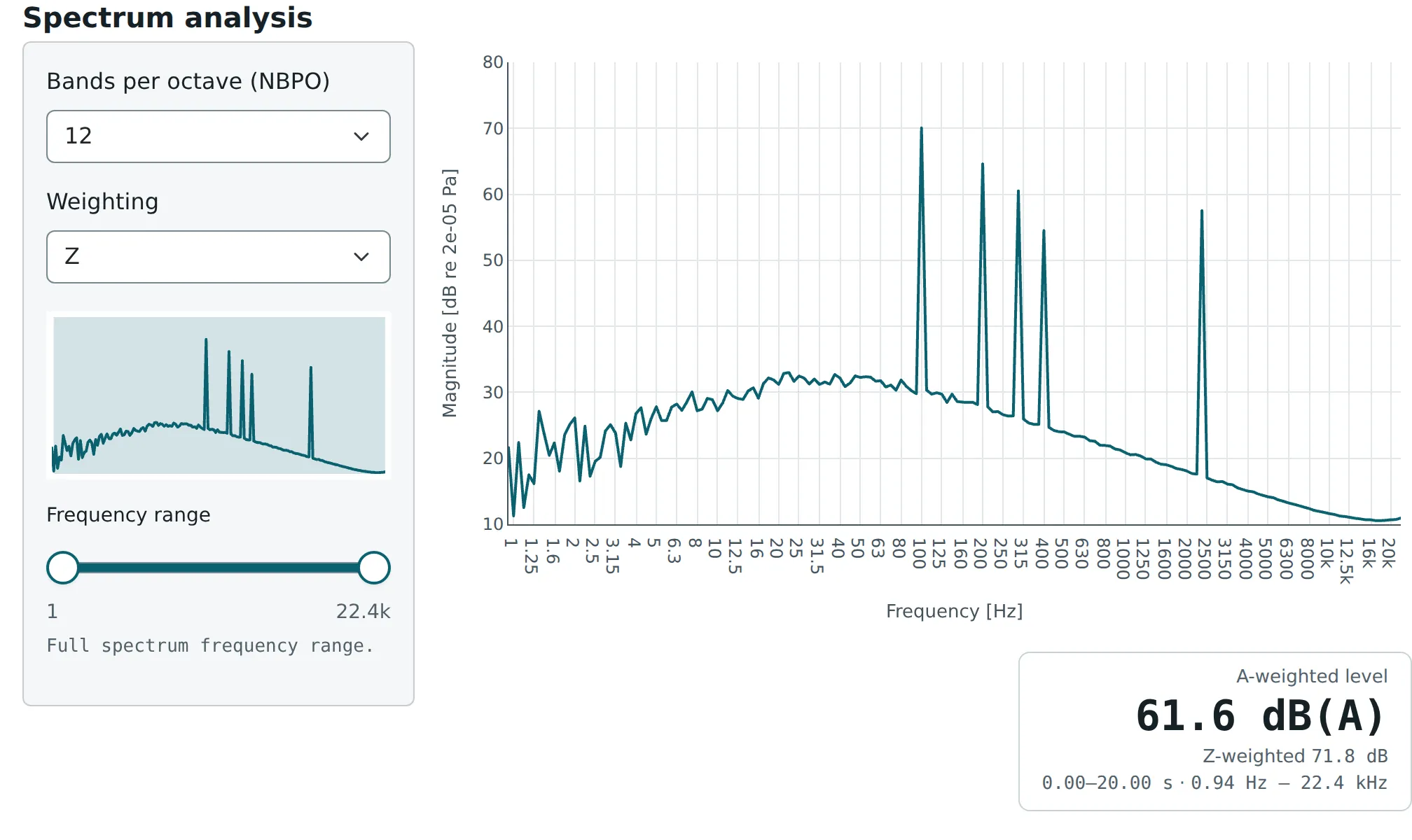
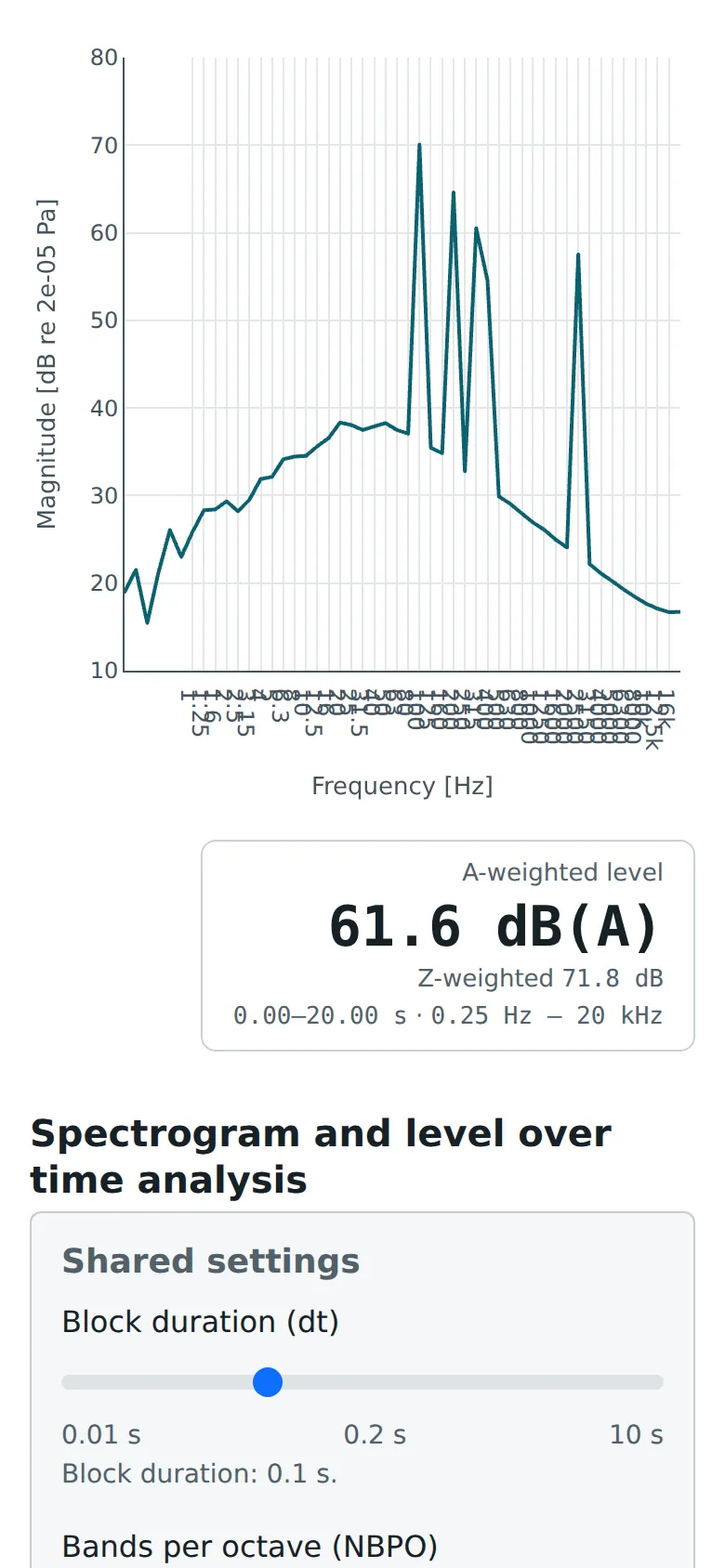
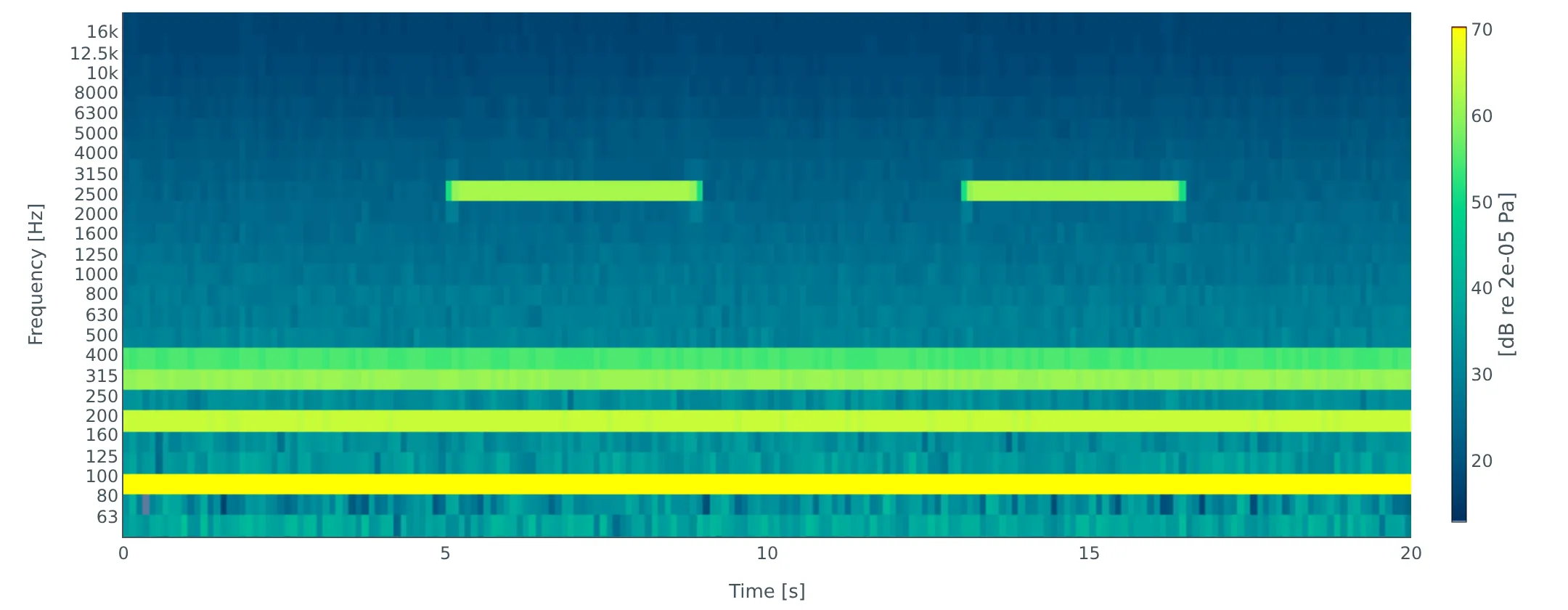
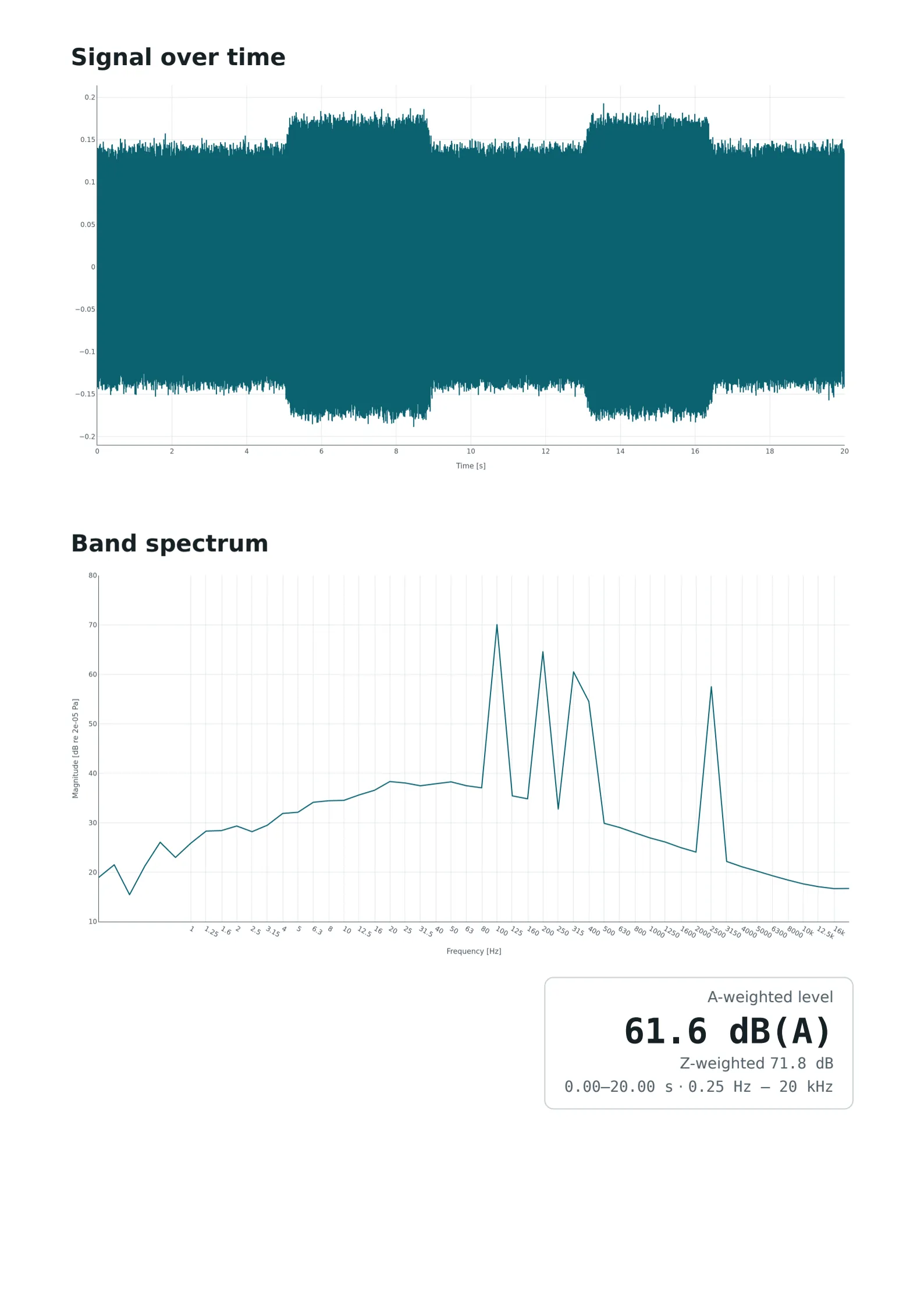
ToneLogs turns a recording into a band spectrum, a spectrogram, and its level over time, each plot showing the parameters behind it.
From recording to report
Record where it happens, analyze at your desk
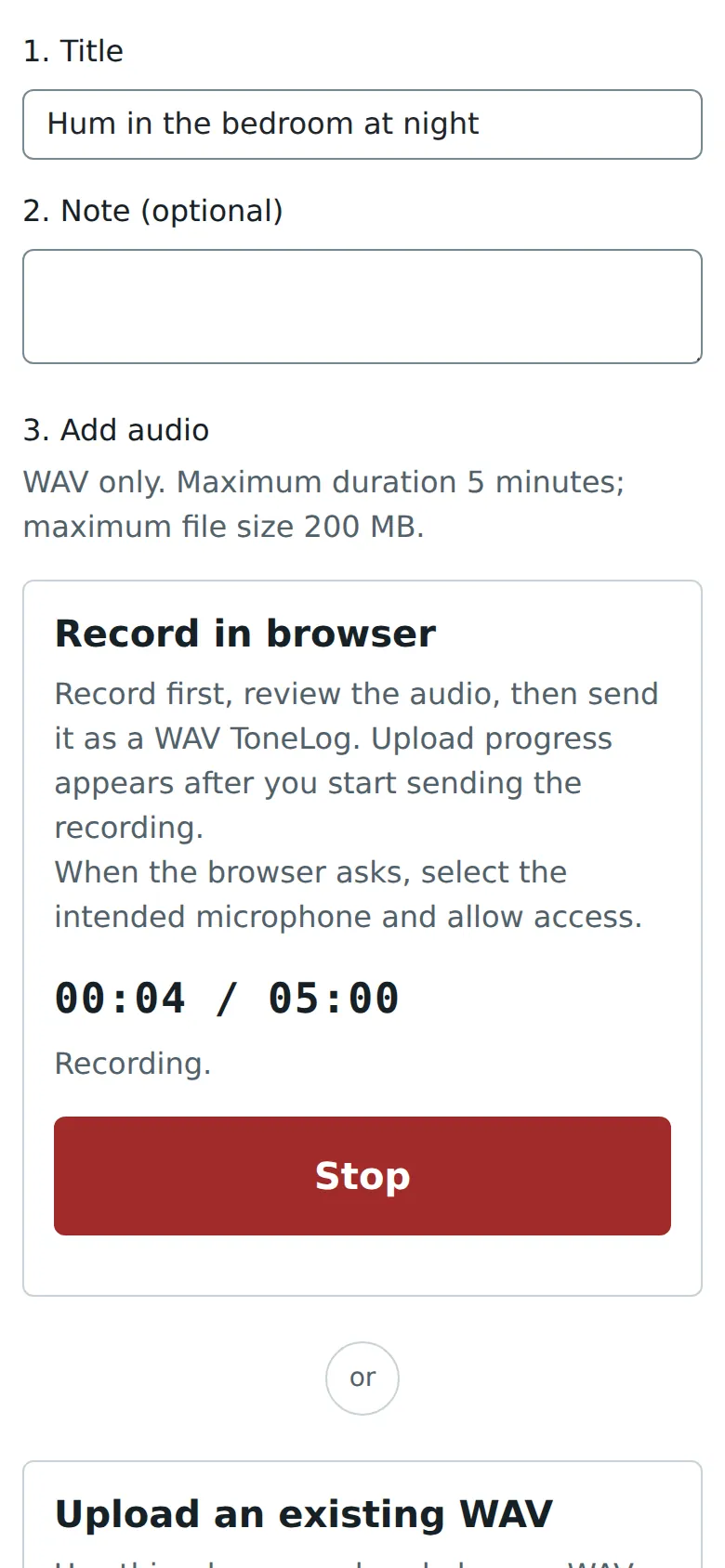
Record in your phone's browser where and when the sound occurs, or upload a WAV from another recorder. Then analyze the same ToneLog on your computer's large screen.
Find the moment that matters
Select the seconds where the sound occurs and listen to just that part. The band spectrum, spectrogram, and level over time follow your selection, and you choose their frequency range and resolution.
Document what you found
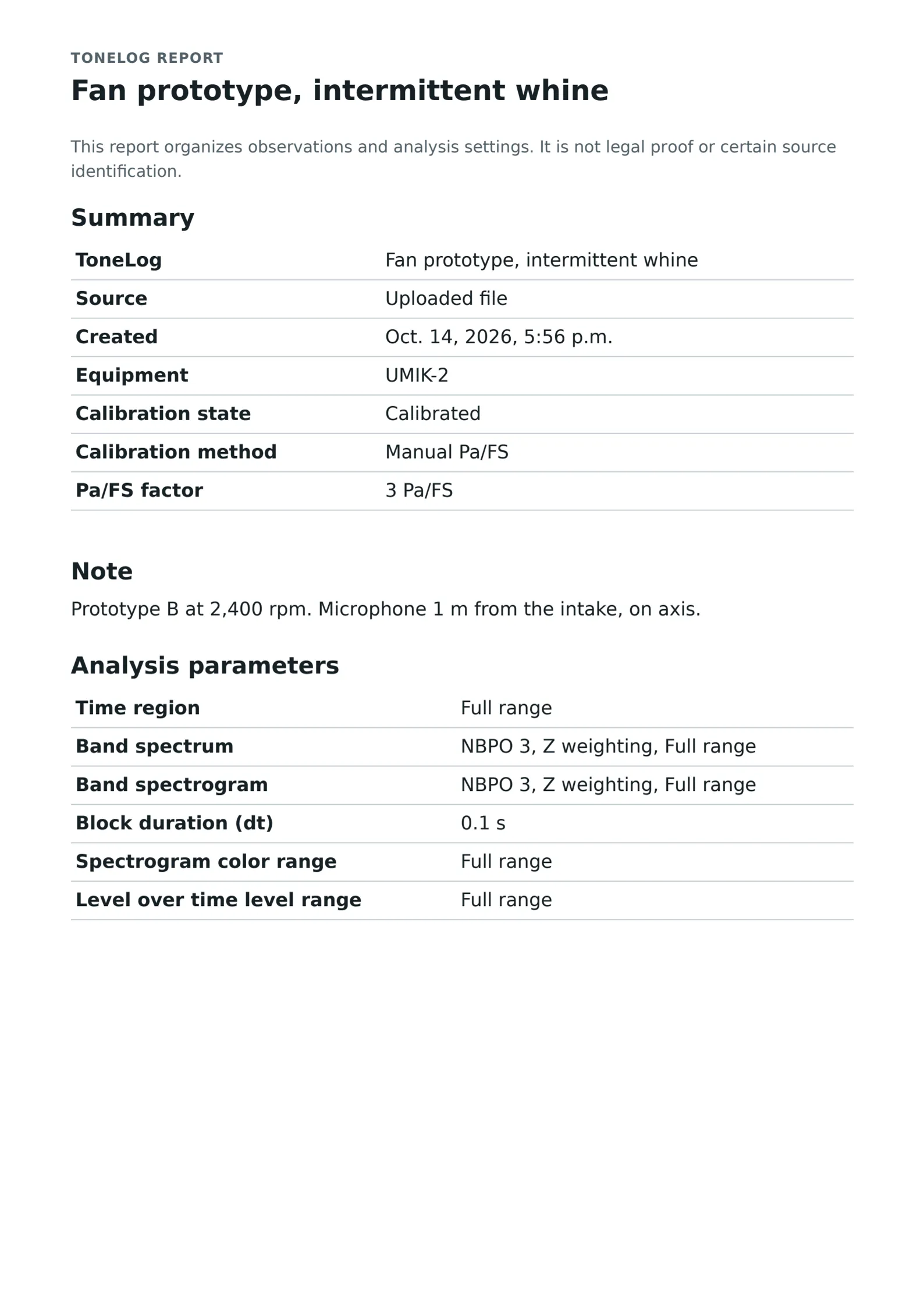
Export a printable report of your analysis: its plots and parameters, the Equipment and its calibration state, and your Note, for example the operating condition and the microphone position. Hand it to a colleague, a technician, or an acoustics expert.
Print or save PDF
Record with the equipment you have
-
Your phone or laptop
Record uncompressed WAV with the built-in microphone. Explore tones, harmonics, and timing in detailed spectra and spectrograms, with no calibration needed.
-
A USB measurement microphone
A measurement microphone such as a miniDSP UMIK-1 or UMIK-2 has less self-noise and a flatter frequency response than a built-in one, so it captures quiet and low-frequency sounds more reliably.
-
Your own recorder
Upload a WAV from an audio recorder or a measurement system and analyze it with the same tools.
Why a microphone needs calibration to measure sound level
A recording stores sound as numbers relative to the recorder's full scale. The same sound gives different numbers with different microphones and input settings, and phones and laptops don't tell you how those numbers relate to sound pressure. That is why most sound level apps can be far off.
Calibration supplies the missing reference. Without it, you can still study frequencies and timing; with it, ToneLogs shows sound pressure levels in dB and dB(A).
Three ways to calibrate your ToneLogs
-
Record a 94 dB, 1 kHz acoustic calibrator for 10 seconds.
-
Import the calibration file of a miniDSP UMIK-1 or UMIK-2.
-
Enter a known sensitivity in Pa/FS.
A Calibration holds for one microphone with the same gain and settings. You can apply it later to older recordings made with that setup.
Technical details
- WAV recordings and uploads of up to 5 minutes and 200 MB.
- Browser recording asks the browser to switch off echo cancellation, noise suppression, and automatic gain control; support depends on the browser.
- Analysis of each recording's first channel.
- Band spectra and spectrograms from 1 to 96 bands per octave, Z- or A-weighted.
- A single A-weighted level for the selected time and frequency region.
- A Calibration history for each piece of Equipment.
- English, German, and French.
ToneLogs results can support an investigation, but they are not legal-grade measurements. In Switzerland, measurements for legal purposes generally require officially calibrated measurement equipment and a qualified expert.